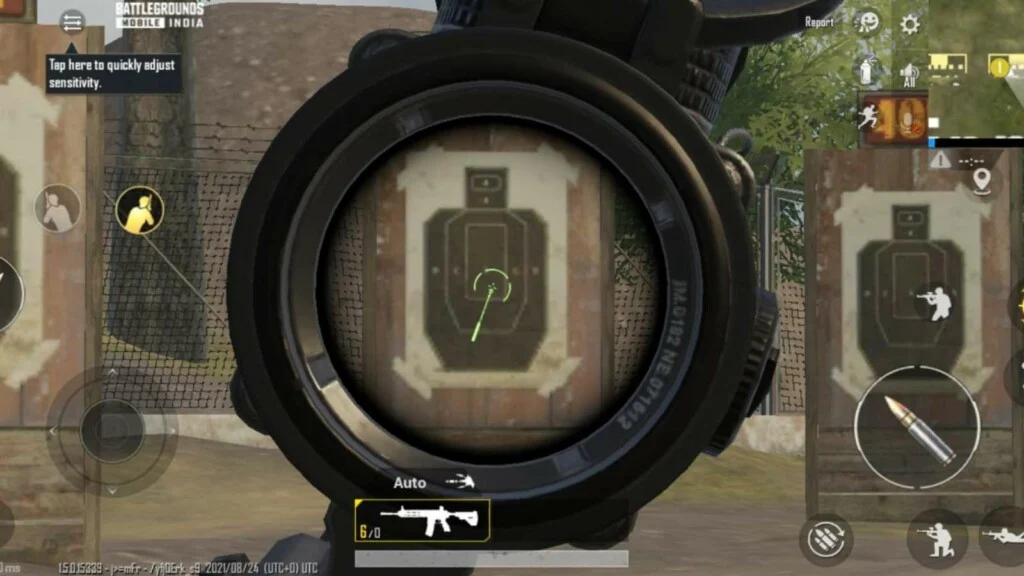
Best BGMI Sensitivity Settings (Camera, ADS & Gyroscope)
Struggling with recoil or poor aim in BGMI? Learn the best BGMI sensitivity settings for camera, ADS, and gyroscope with ready-to-use sensitivity codes.
BGMI sensitivity settings play a crucial role in aiming accuracy, recoil control, and smooth gameplay. Many players fail to control spray simply because their sensitivity is not optimized. In this guide, you’ll find the best BGMI sensitivity settings for camera, ADS, free look, and gyroscope to improve your performance.
What Are BGMI Sensitivity Settings?
BGMI sensitivity settings allow players to control how fast the camera moves, how the crosshair behaves while firing, and how recoil is handled. Proper sensitivity helps in close combat, long-range sprays, and fast enemy tracking.
How to Change Sensitivity Settings in BGMI
Open Sensitivity Menu
Launch BGMI, go to Settings, and tap on the Sensitivity tab to access all sensitivity options.
Adjust Sliders
Modify Camera, ADS, and Gyroscope sensitivity sliders based on your playstyle. Higher values increase speed, lower values improve control.
Apply Changes
After adjusting, tap on Apply and test the settings in Training Grounds before ranked matches.
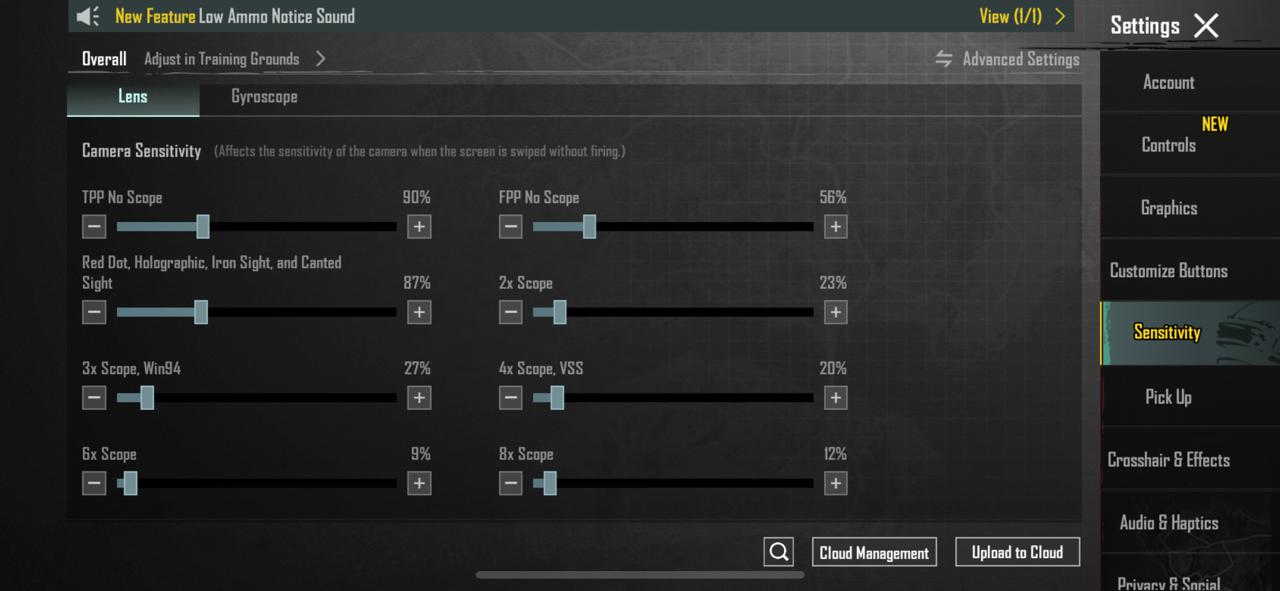
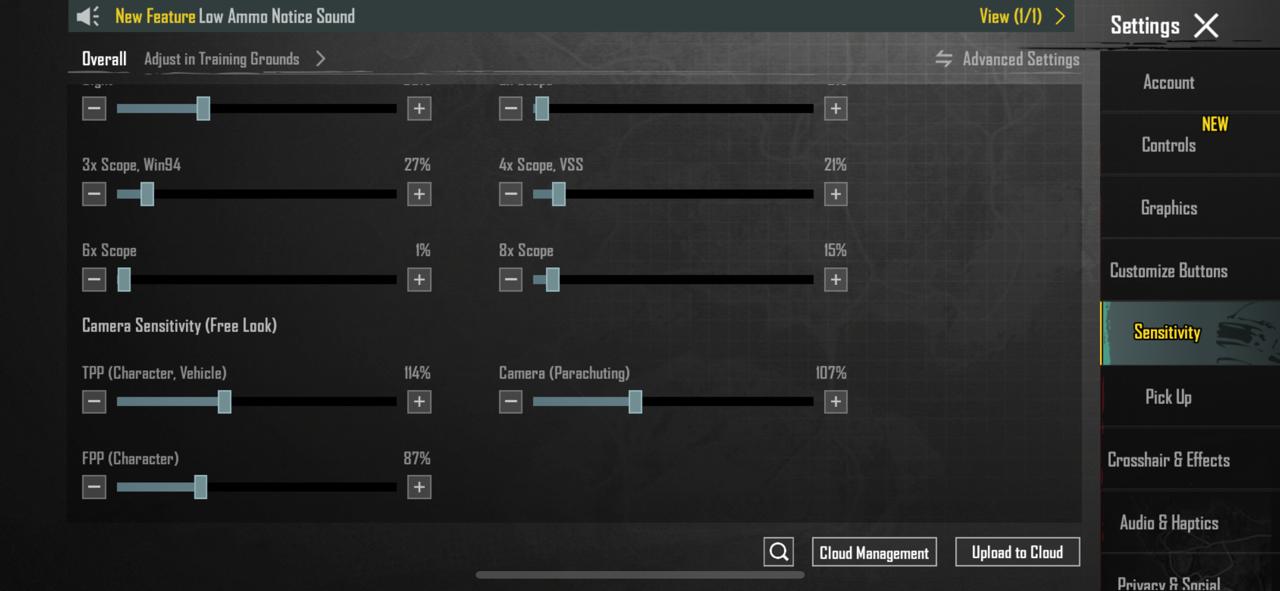
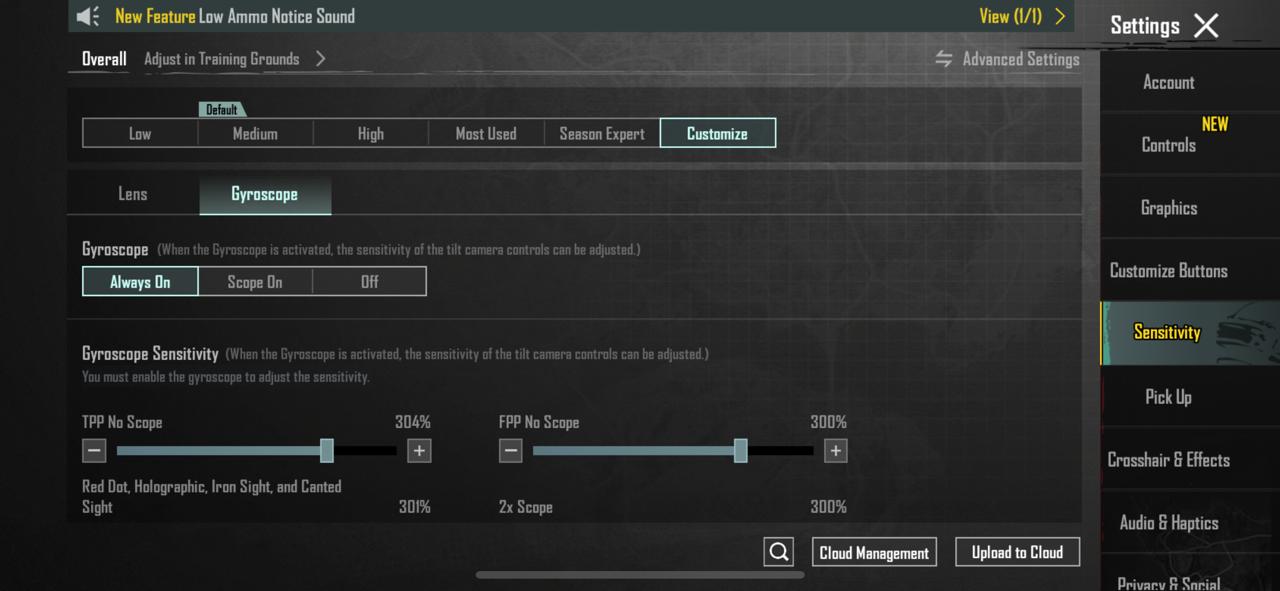
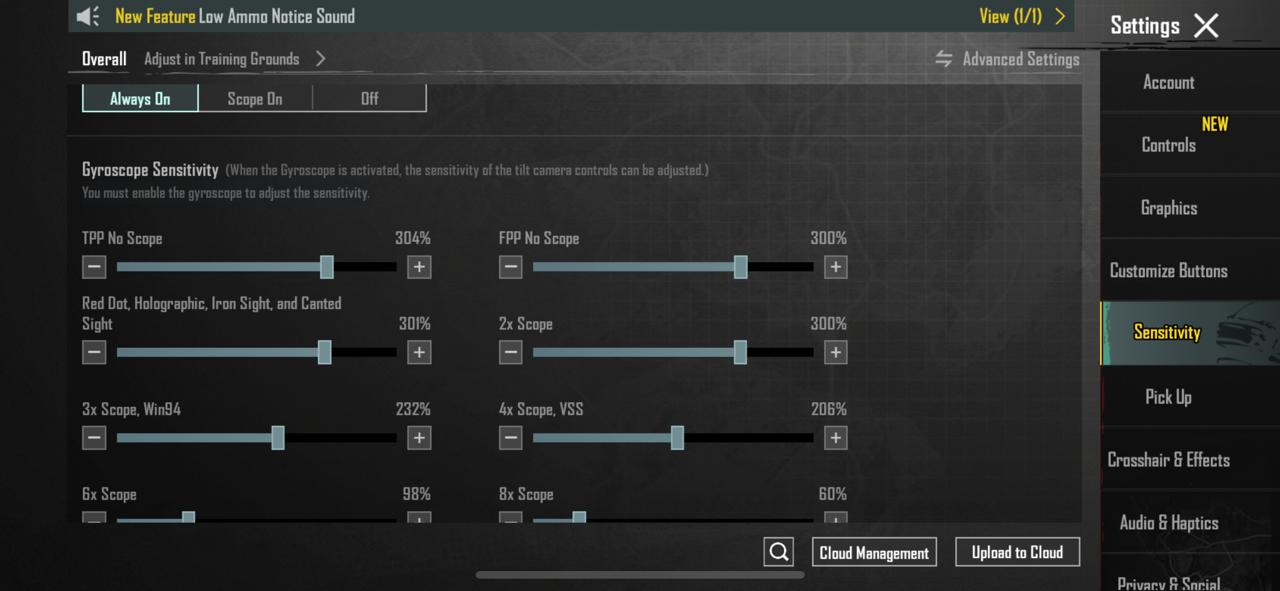
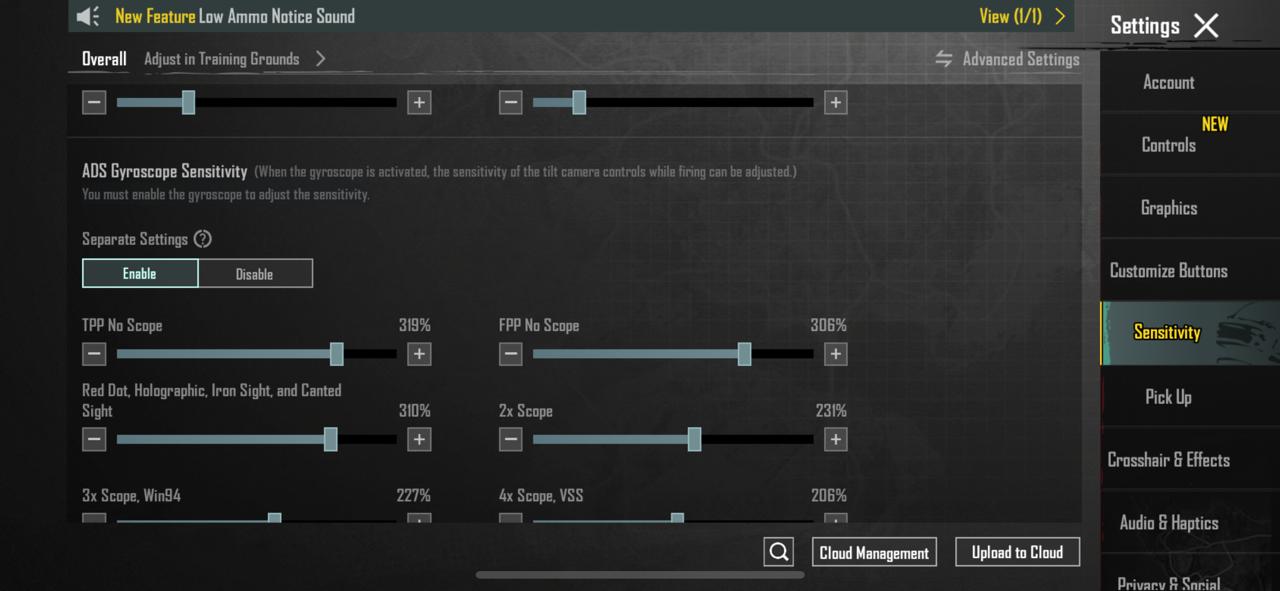
Best BGMI Camera Sensitivity Settings
- TPP No Scope: 90% – 120%
- FPP No Scope: 50% – 90%
- Red Dot / Holographic: 70% – 100%
- 2X Scope: 23% – 30%
- 3X Scope: 25% – 30%
- 4X Scope: 15% – 20%
- 6X Scope: 9% – 12%
- 8X Scope: 9% – 12%
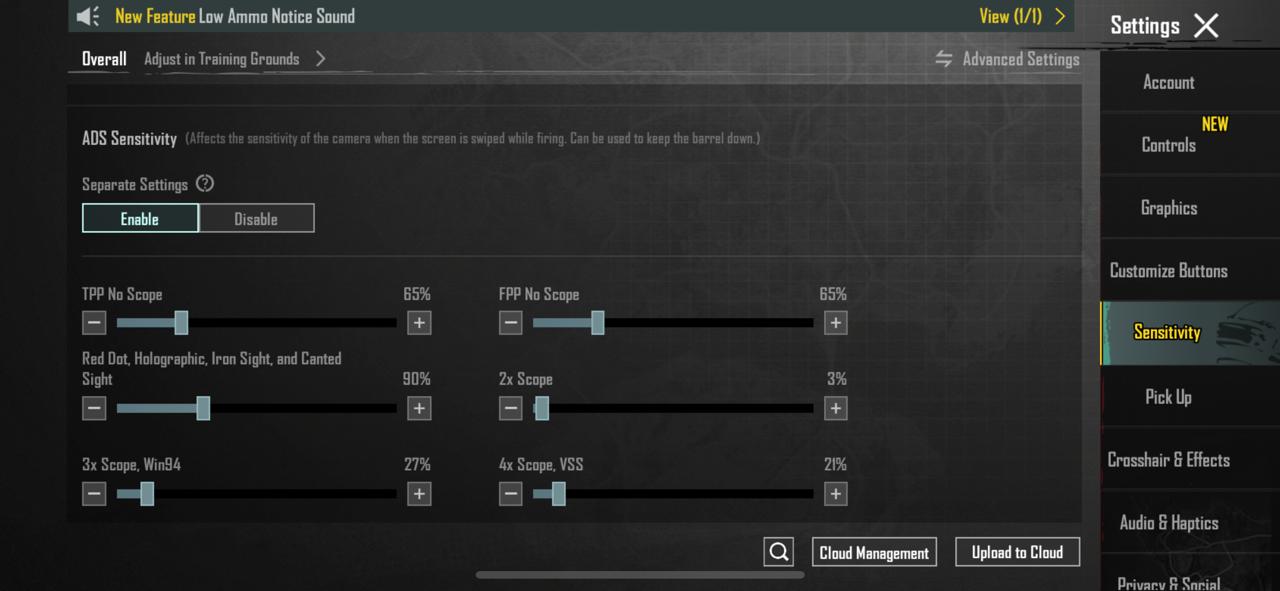
Best BGMI ADS Sensitivity Settings
- TPP No Scope: 115% – 120%
- FPP No Scope: 100% – 112%
- Red Dot / Holographic: 55% – 60%
- 2X Scope: 33% – 38%
- 3X Scope: 25% – 30%
- 4X Scope: 15% – 19%
- 6X Scope: 10% – 15%
Best Camera Sensitivity (Free Look)
- TPP Character / Vehicle: 118% – 125%
- FPP Character: 80% – 85%
- Parachuting: 120% – 124%
Best BGMI Gyroscope Sensitivity (Always On)
- TPP No Scope: 245% – 255%
- FPP No Scope: 230% – 240%
- Red Dot / Holo: 245% – 250%
- 2X Scope: 210% – 215%
- 3X Scope: 175% – 180%
- 4X Scope: 150% – 155%
- 6X Scope: 85% – 90%
- 8X Scope: 60% – 65%
BGMI Sensitivity Codes (Instant Setup)
- Basic Sensitivity Code: 1-7478-5476-5092-1366-954
- Advanced Sensitivity Code: 1-7478-5476-5092-1366-955
- Gyroscope OP Code: 7120-0643-8249-5640-805
Creator Sensitivity Codes Used by Pro Players
Many BGMI players prefer using sensitivity codes shared by experienced creators. These creator sensitivity codes are tested by the community and are especially effective for players who focus on recoil control, fast aim, and gyroscope gameplay.
Below are popular BGMI sensitivity codes shared by well-known creators Benjamin James and Bixi OP. These settings are ideal for players who use full gyroscope or always-on gyro mode.
- Creator: Jonathan Gaming (Sensitivity Code): 1-7504-1526-4395-8216-368
- Creator: APK Dok International Player (Sensitivity Code): 1-7545-7663-4553-3777-74
- Creator: Bixi OP (Gyroscope Sensitivity Code): 7120-0643-8249-5640-805
These creator sensitivity settings work best when tested in Training Grounds first. Fine-tune the values slightly based on your device and playstyle for maximum accuracy.
Get Perfect Sensitivity for Your Device Using AI
Copied sensitivity codes may not work the same on every device due to differences in screen size, touch sampling rate, and gyroscope hardware.
Use our AI Sensitivity Maker to generate the best BGMI sensitivity settings tailored specifically for your device. The tool analyzes your phone model and playstyle to deliver more accurate recoil control and smoother aim.
👉 Try the AI Sensitivity Maker here:
How to Reset BGMI Sensitivity to Default
To reset sensitivity, go to Settings → Sensitivity and select Medium. This restores BGMI’s default sensitivity values.
FAQs – BGMI Sensitivity Settings
What is the best BGMI sensitivity for no recoil?
Using gyroscope sensitivity with high values provides the best recoil control in BGMI.
Are BGMI sensitivity codes safe to use?
Yes, sensitivity codes are an official BGMI feature and safe to use.
Should beginners use gyroscope?
Beginners can start without gyro and enable it gradually after gaining control.